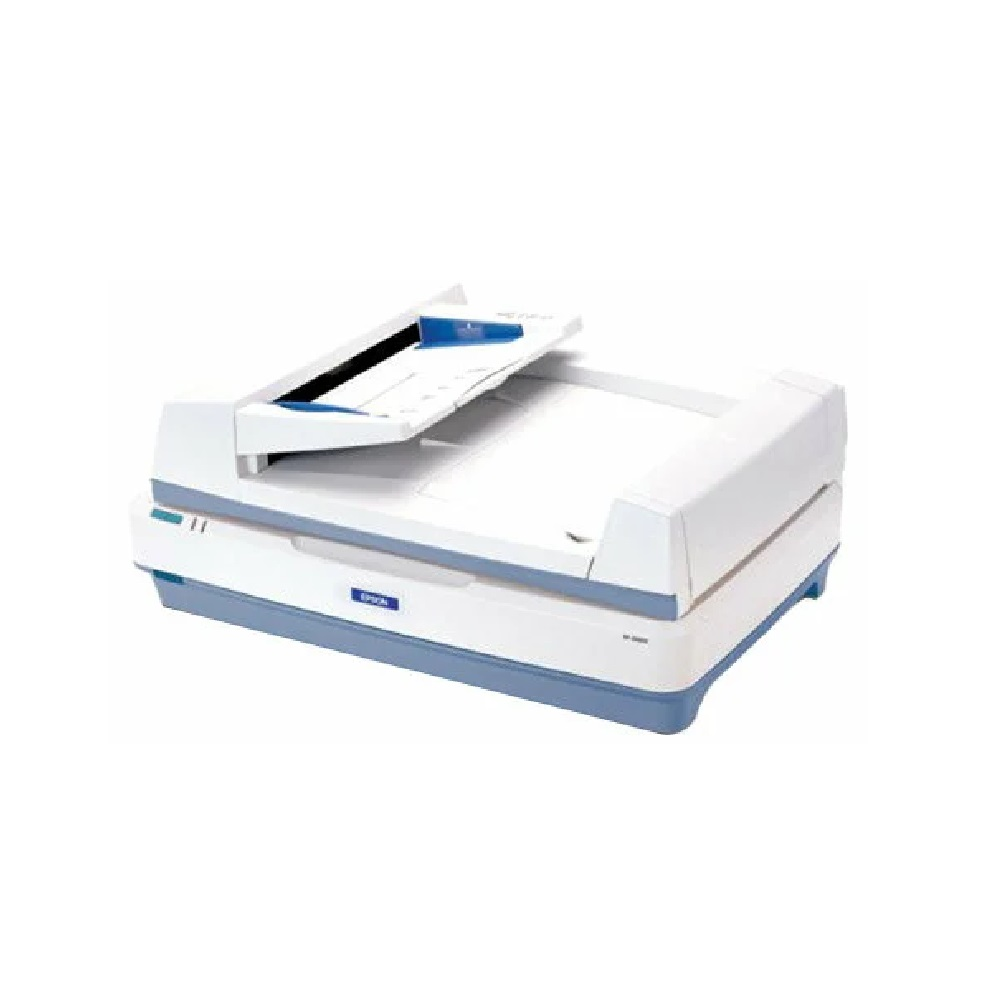
Document scanner EPSON GT-20000NPro
Epson GT-20000NPro is an A3 color flatbed scanner for the office, designed for scanning a large number of documents. The combination of large format, high speed, reliability, connectivity and ease of use makes this scanner an excellent choice for organizations interested in high-volume scanning. High speed EPSON GT-20000NPro provides very high scanning speed for its class. When using the optional document feeder, it scans up to 23 pages per minute in monochrome and 15 pages per minute in color (A4 format, 200 dpi resolution). When working “from the glass”, without autofeed, scanning an A4 sheet in monochrome mode is performed in less than 5 seconds. Full A3 format The maximum scanning format for the EPSON GT-20000NPro scanner is 297x432 mm. This allows you to scan, for example, a magazine spread or two A4 sheets at a time. Modern interfaces The scanner is equipped with USB 2.0 Hi-Speed and SCSI interfaces. In addition, it has an expansion slot where you can install an IEEE-1394 (FireWire) card or an Ethernet network card. Network use (Model GT-20000NPro) By installing an optional network card in the expansion slot, the user can connect the scanner directly to the local network. This allows you to scan from any networked computer. Speed priority scanning In Office Scanning Mode, you can set scanning speed priority to achieve maximum scanning speed on the GT-20000NPro. Create PDF files with search by document structure Searchable PDF files (sPDF) are images that store document text in a separate layer, allowing you to quickly search for text as if it were a regular text document. You can also set your own indexes within an sPDF document for quick searching. Improved text display This feature improves the accuracy of text recognition when scanning by eliminating the background of the document and displaying characters with increased sharpness. This feature is only available for black and white scanning. The advantage for users is that documents can be scanned at low resolution and therefore at high speed, with consistently high quality images of small and hard-to-read text. Selective scanning of RGB colors Selective scanning of RGB colors is a special function that allows you to ignore any of the colors during the scanning process. This function can be used to remove the colored background of documents or colored fragments. Using the GT-20000NPro scanner, you can exclude red, green or blue colors when scanning. Automatic image alignment The driver of this scanner has the ability to determine if a document was not scanned straight. When enabled, the driver will align the image according to the text level from left to right. This function is useful for recognizing texts and barcodes. The GT-20000NPro scanner supports automatic image alignment both when scanning from the flatbed and from the automatic document feeder. Stream PDF creation In-line PDF creation allows you to create one or more PDF files during the scanning process. You can create PDF files that are one or more pages long using the automatic document feeder or flatbed scanner. For example, you have a contract consisting of 5 pages that needs to be scanned. Previously, when scanning to PDF, each page would be scanned into its own file and you would end up with 5 PDF files, each containing one page of the document. Now you can set the length of a PDF file in advance and get one document 5 pages long. This simplifies document flow in the company and reduces the time spent searching for the necessary information. Editing PDF files When scanning to a PDF file, the user can flip, delete, or rearrange the pages of the document by simply dragging them to the desired location with the mouse. Create secure PDF files EpsonScan 3.4 supports setting protection for PDF files. You can set passwords for opening and editing documents to prevent unauthorized access to documents. Prohibit certain operations with a document (printing a document, extracting data from a document, editing, adding comments, and adding/deleting pages). Automatic image type detection Automatic detection of image type allows you to make images when scanning in shades of gray clearer, and text recognition is simpler since the scanner automatically determines where the text is and where the drawing is.
- Scanner type: flatbed
- Automatic feeder: yes
- Scan type: color
- Scanning technology: CCD
- Scan speed: 23 ppm (A4, 200 dpi)
- Scanning area: 297 x 432 mm
- Scan resolution: 600 x 1200 dpi
- Color: 48/24 bit
- USB interface: yes
- Ethernet interface: yes
- Wi-Fi interface: no
- Interface: USB 2.0, Ethernet
- Power consumption: 60 W
- Dimensions: 656 x 458 x 158 mm
- Weight: 13.5 kg