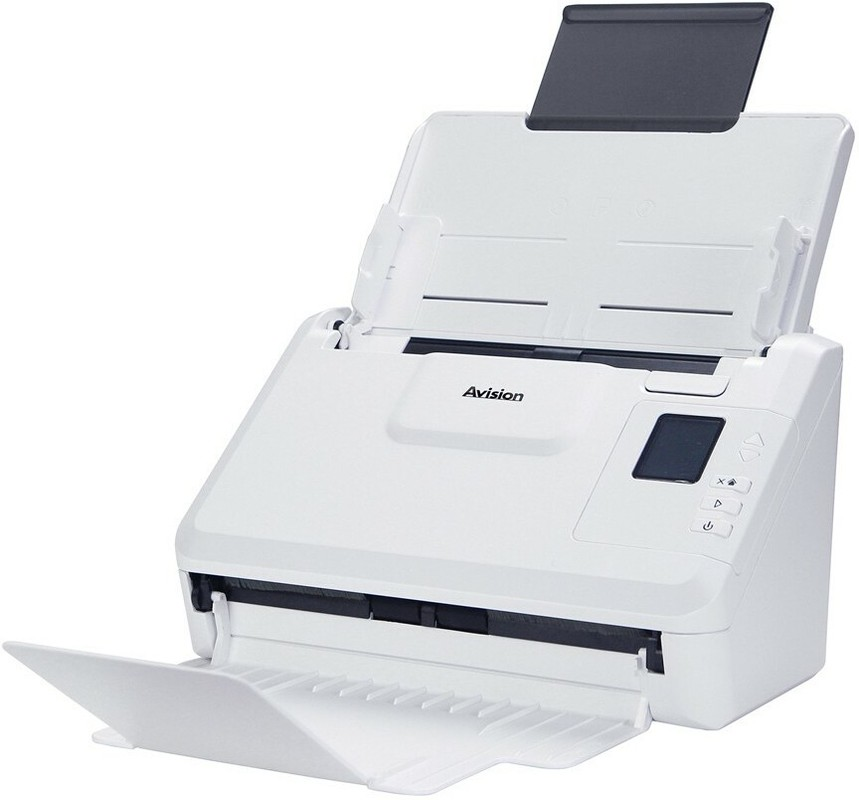
Document scanner Avision AD340GN
The Avision AD340GN is a 40 ppm, 80 ipm duplex paper feed scanner that is fast, reliable and affordable for businesses that need to scan plastic ID cards, business cards, documents or other thick media. Thanks to Avision's built-in image processor, scanned images can be automatically cropped, straightened and ready for use. Network document scanner With a network port on the rear panel, this scanner allows you to use it as a network scanner. This means that users with access to the scanner can share it and receive a scanned image from their individual computer. Convenient scanning while walking USB flash drive and direct interface are available to scan files to USB flash drive. High optical resolution 600 dpi With high optical resolution of 600 dpi and advanced image processing technology, you can be sure that documents can be converted with the highest image quality. In addition, thanks to the built-in CIS (Contact Image Sensor) module, the AD340GN series does not require any warm-up time. Color graphic LCD display The AD340GN is easy to use with a clear 1.77-inch color LCD display and panel buttons. By selecting a destination and clicking the Scan button, you can scan and send the image to the destination application you specify, such as email, printer, or a suitable image editing application. Up to nine frequently used scan parameters and destinations can be preset to suit your various scanning needs. Friction roller increases feed reliability Designed with an innovative friction roller for enhanced paper separation capabilities, the AD340GN delivers outstanding feed reliability and performance, effectively reducing the risk of multi-feeding or paper jams. Ultrasonic multi-feed detection With ultrasonic multi-feed detection, the scanner allows you to install overlapping paper by detecting the paper thickness between documents. The ultrasonic feature can be disabled when scanning documents containing labels, sticky notes, or receipts. This innovative design prevents double feeding and efficiently scans documents of varying weights and thicknesses. Daily work cycle with high volumes The scanner can be used to scan up to 8,000 pages per day through the 50-page automatic document feeder. The data shows that this scanner is designed for document scanning in any application that requires frequent scanning of documents and hard cards. Innovative design to save space The AD340GN features a unique and stylish design as the paper input and output trays can be folded when not in use. The paper tray also helps protect the device from dust. Unlike bulky conventional scanners, the slim AD340GN is easy to carry and fits on your desk without taking up much space. Powerful software applications included The AD340GN comes with TWAIN and ISIS drivers, as well as a suite of powerful software applications including Avision Button Manager, AVScan and PaperPort. With Button Manager, you can create searchable PDFs, scan, and send images to email, printer, or cloud servers such as Google Drive™, Dropbox, or Evernote® with the simple press of a button. AVScan and PaperPort are highly efficient image processing and document management software that will help you optimize your task more effectively.
- Equipment type: Office scanner
- Automatic Feeder: ADF
- Scanner type: Continuous
- Scan format: A4
- Scanning speed: 40 ppm (single-sided, 200 dpi), 80 ipm (double-sided, 200 dpi)
- Scan resolution: 1200×1200 dpi
- Operating system: Win 7, Win 8, Win 10, Win11, Fedora, openSUSE, Debian, Ubuntu, macOS10.12~10.15, macOS11 Big Sur, macOS12 Monterey, macOS13 Ventura, macOS14 Sonoma
- Paper weight: 27-413 g/m²
- RAM: 512 MB
- Device features: Duplex scanning, Network scanning
- Interfaces: Ethernet, USB
- Color: White
- Warranty: 1 year
- Dimensions: 282 × 457 × 334 mm
- Weight: 2.5 kg